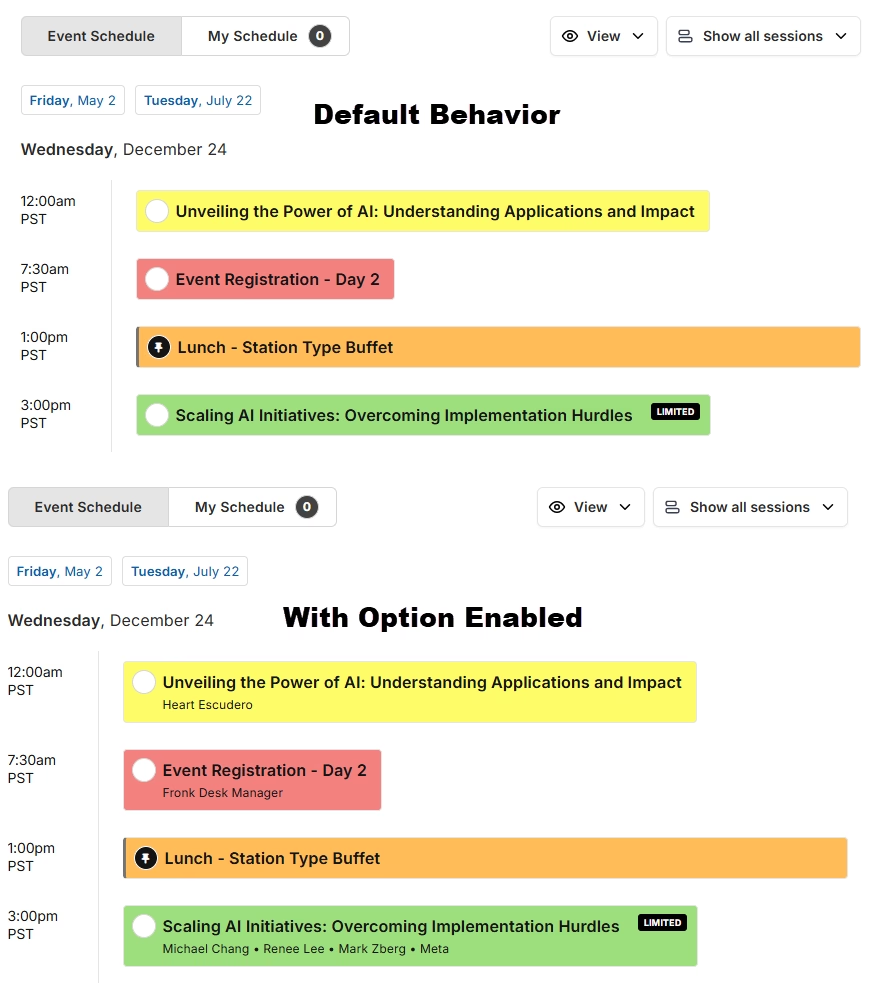
By default, the simple view of your schedule displays your session titles. You can also display the speaker names below each title to give attendees a quick preview.
Enable Speaker Names
- Go to Settings => General.
- Under “Content,” toggle “Show speaker names under session titles” on.
- Click “Save.”