
Table of Contents
If you’re organizing an event that includes some of your past speakers, you can re-import them into your new event. This will save you time and re-use their existing accounts.
Exporting From Your Past Event #
- Go to your past event’s Control Panel.
- Navigate to Control Panel → Reports tab.
- Under Directory, click the role you’d like to reuse in your new event (e.g., Speakers, Exhibitors, Attendees).

- Open the exported spreadsheet to make updates — for example, remove participants who won’t be part of the new event or add new ones.
- Download the new event’s spreadsheet template, copy your updated participant data into it, and save it.
- Import the updated spreadsheet into your new event.
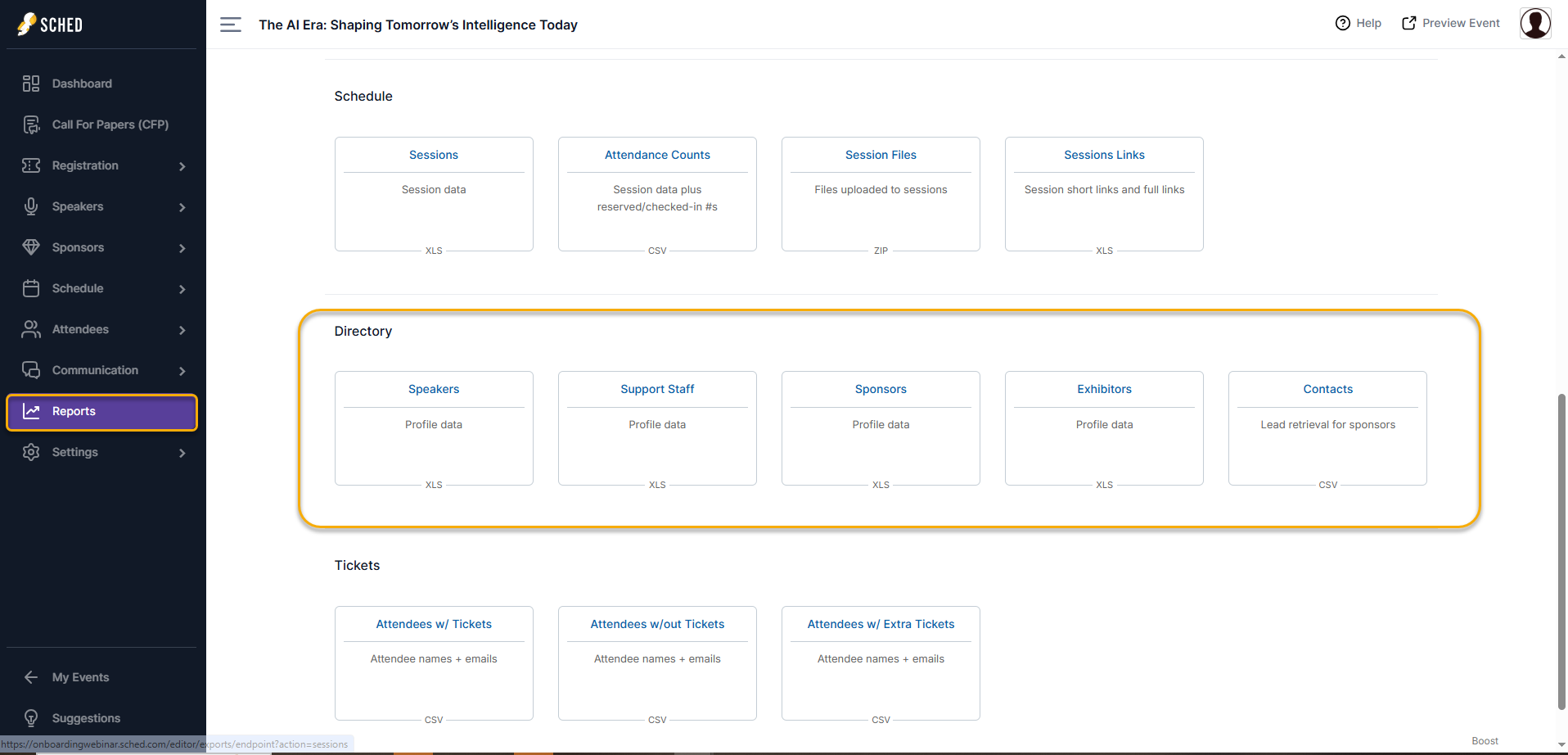
You can reuse any role — including Speakers, Exhibitors, Attendees, and more — using this method.


