
Sched’s built-in messaging lets you easily communicate with applicants and reviewers right from the CFP dashboard. You can customize confirmation and rejection emails, send updates to reviewer groups, and keep track of all your messages in the message log. Each admin’s email templates are saved privately, so you can reuse your messages without affecting others.
Here’s how to send messages:
-
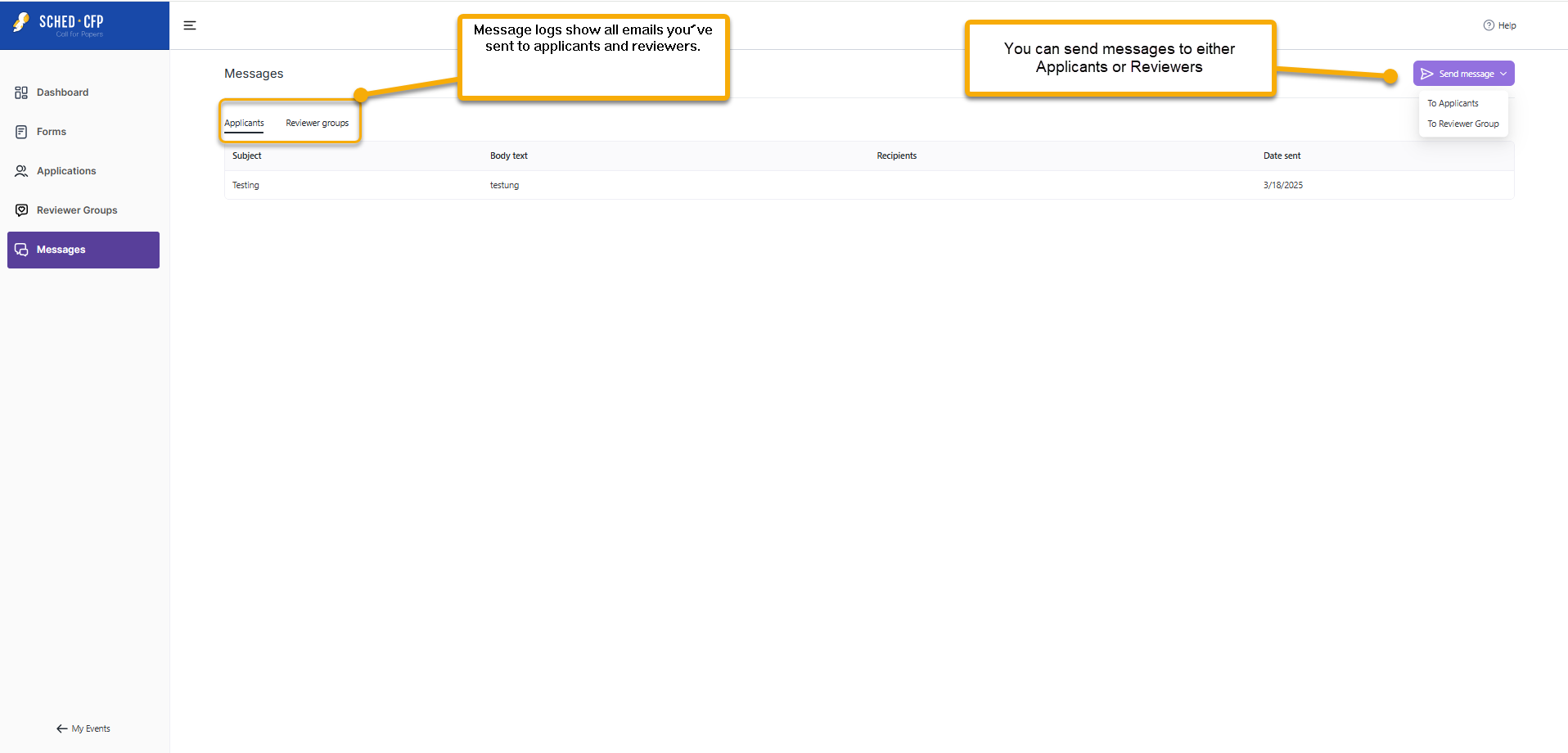
- Go to the Messages section.
- Use the dropdown menu to choose whether you want to message Applicants or Reviewers.
- If you select Applicants, you can filter them by their application status.
- If you select Reviewers, you can send messages to specific reviewer groups.

Tip: When you change an applicant’s status to Final Confirmation or Rejected in the Applications section, you’ll see a message prompt with a default email. You can edit this message before sending it. 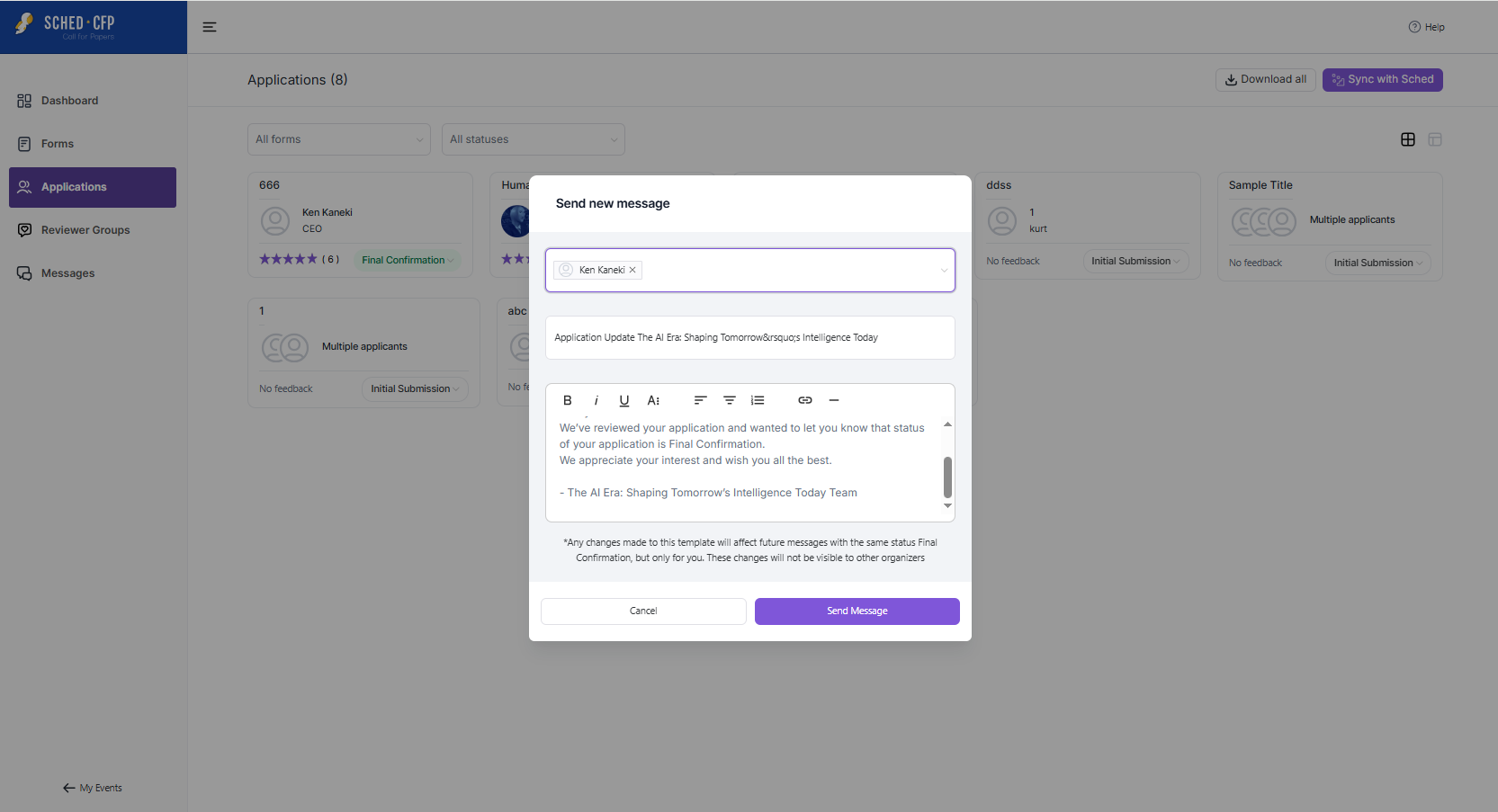
All messages you send are saved in a message log so you can keep track of your communications.


